Every lead in one place. The story behind every home before you call.
Home Signal brings in every lead you get, from Zillow, Realtor.com, your website and your own email, into one daily list. It matches each home to its public county record, so before you dial you know who owns it, how long they’ve owned it and whether they live there. And it finds new sellers in your counties that nobody has sold you a list of.
For agents and small teamsBuilt on public county recordsTexas & Florida counties today
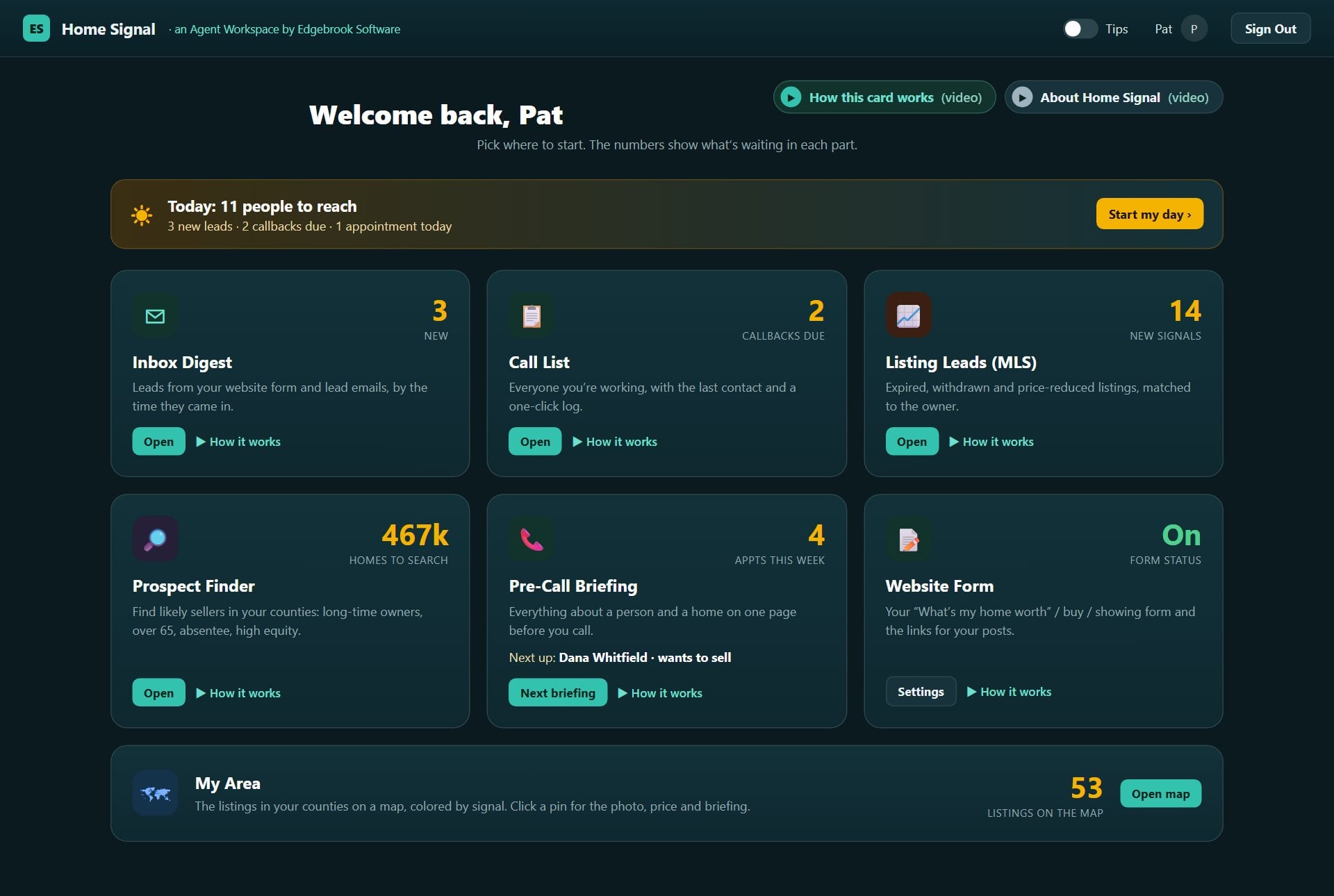
The Home screen, as an agent sees it each morning. Every screen on this page is the real app, shown with sample data.
Overview
Why Home Signal exists
Agents told us the same thing. Leads arrive from everywhere: Zillow, Realtor.com, a website form, a showing request, a personal email. They get buried. And before calling, there’s no quick way to know who owns the home, how long they’ve owned it, or whether they live there. Lead services charge a lot for that. Home Signal brings it together, from public county records, so more of the leads you already get become listings and sales.
👤
Who it’s for
Agents, and the teams around them
Built for agents who want more of their own leads to become listings and sales, and who don’t have time to dig through emails, county websites and spreadsheets before every call.
📥
What it fixes
Leads buried in five places
Every lead lands in one Inbox Digest, newest first, and one Call List shows everyone you’re working, with the last contact and a one-click log.
🔎
What it adds
The home behind the lead
Each lead is matched to its county record: the owner, years owned, value, homestead, the home itself, and how it compares with similar homes nearby.
How it fits together
From first contact to a booked appointment
Leads come inFrom your lead emails and your own website form. Nothing retyped.
Matched to the recordHome Signal reads each one and finds the home in the public county records.
You see it first thingIt lands in the Inbox Digest and on your Today list.
You prepare in two minutesThe Pre-Call Briefing has what they asked, the record and suggested openers.
You work itLog each call, text or email from the Call List; callbacks come back on Today.
Meanwhile the Prospect Finder adds new sellers you choose from the county records, and Listing Leads adds owners whose listings expired or were withdrawn, once your MLS turns on a data feed.
What makes it different
Not another bought lead list
Built fresh from public records, for your countiesProspects come from the county’s own property records, loaded for the counties you work and refreshed when the county publishes a new file. That’s not a national list resold to every agent in town.
Your leads, not leads you rentHome Signal works the leads you already get, from your portals, your website and your referrals, and adds sellers you pick yourself. Nothing is shared with the agent down the street.
Homework done before you dialNo more opening the county website, a map and three emails before a call. The briefing has the owner, the years owned, the value and the neighborhood numbers on one page.
Honest about the rulesIt shows whether someone can be called. People who contacted you can be called unless they asked for email only. County-record prospects are mail first, and phone only after a Do Not Call check.
The Home screen
One screen to start your day
You start on Home. Each tile is one part of Home Signal, and the number in its corner is what’s waiting there. The gold Today bar is your to-do list for the day. Tabs across the top of every other screen take you anywhere, and Back to Home brings you back. Each part of Home Signal has its own section below.
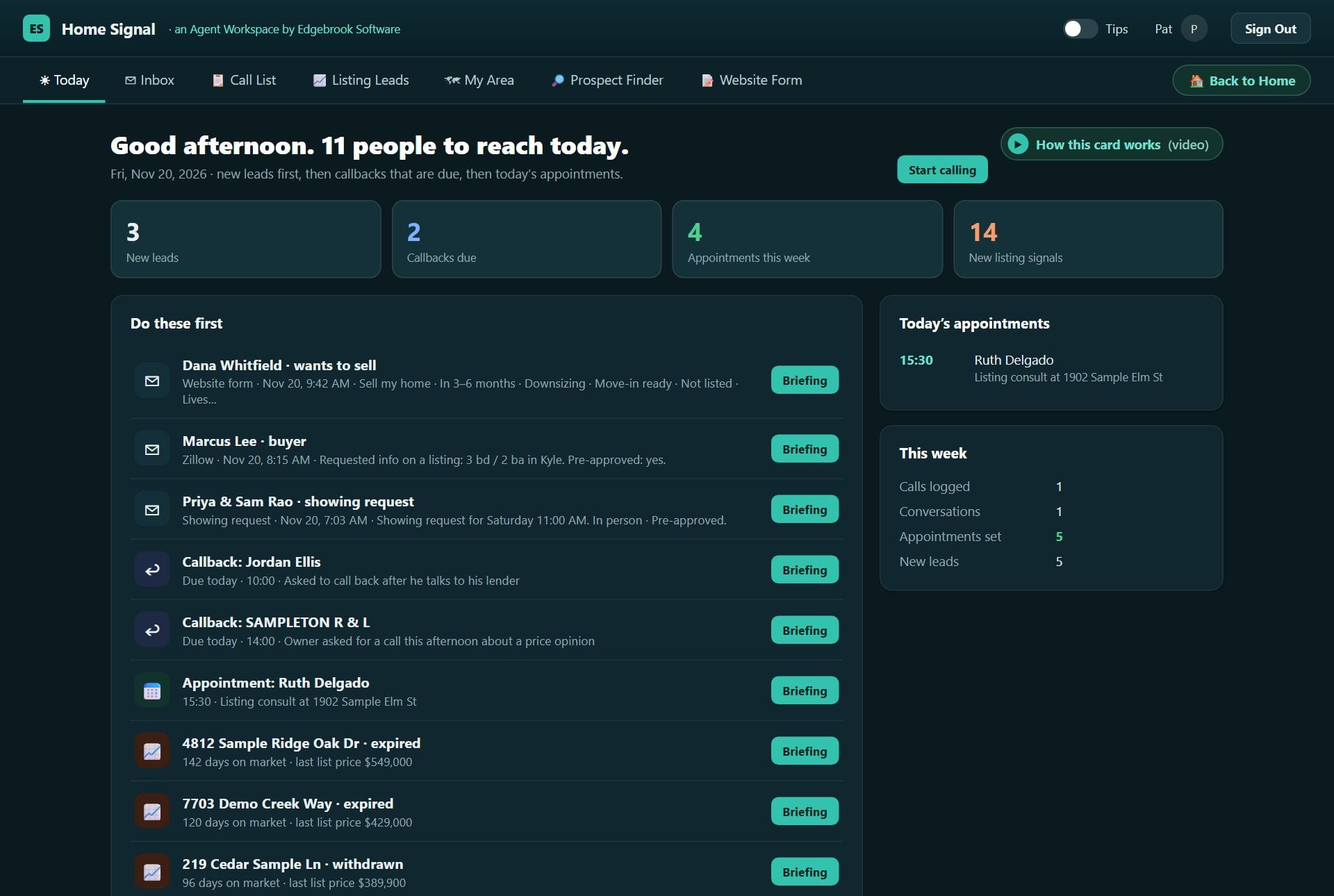
Today puts everyone worth reaching today in one list: new leads first, then callbacks that are due, then today’s appointments. No more scrolling an inbox to remember who you promised to call back. Start calling opens the first person’s briefing; log the call, then come back for the next one.
The day at a glance. New leads, callbacks due, appointments this week, and listing signals once your MLS feed is on.
One row per person. Who they are, what they want and when it came in, with Briefing one click away.
Callbacks that don’t slip. A callback you set appears on the day it’s due and stays until you log a call.
Your week, counted. Calls logged, conversations had, appointments set and new leads, so you can see the week’s progress.
Inbox Digest
Every new lead lands in one place
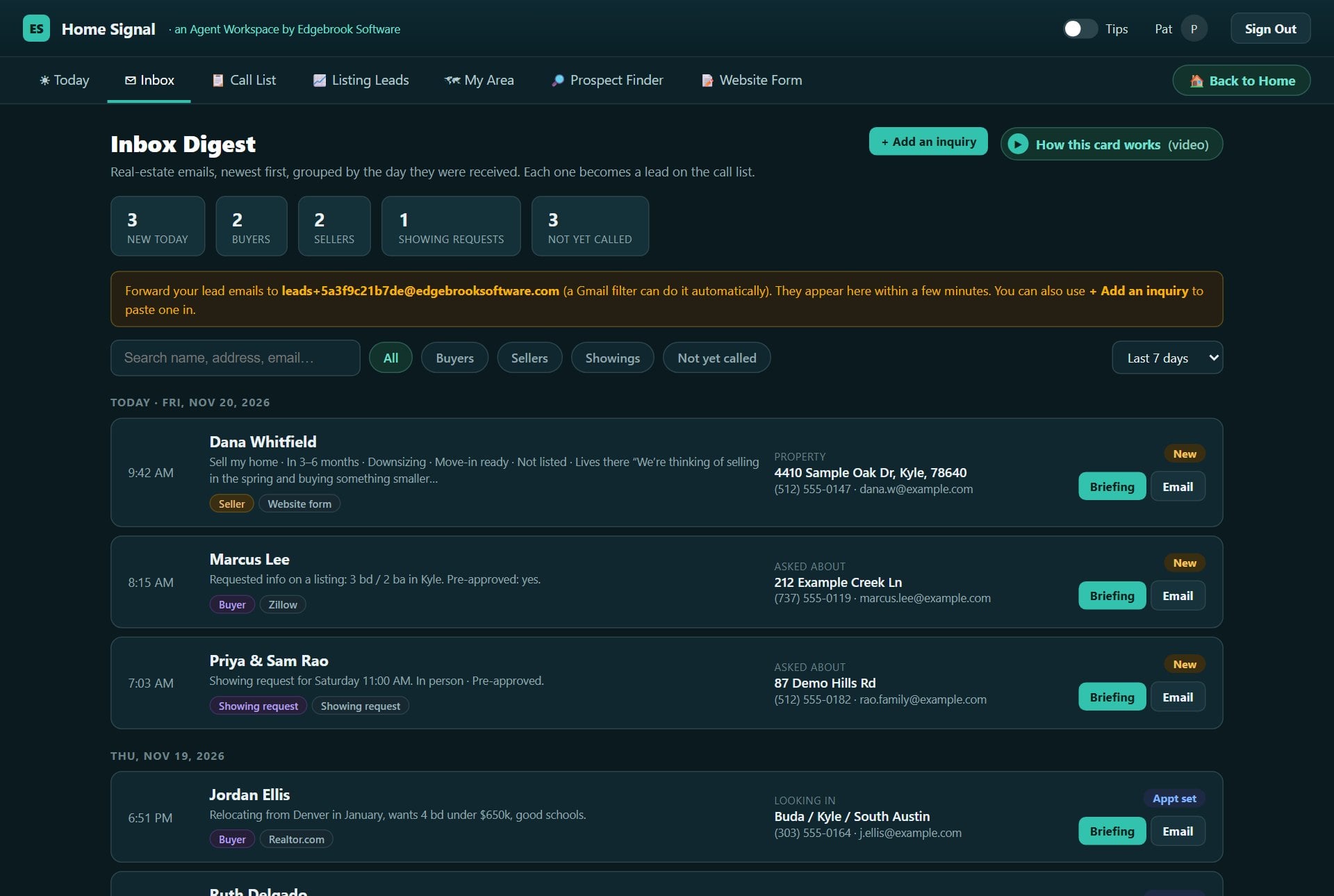
The Inbox Digest is where every lead arrives, newest first, grouped by the day it came in. Each one shows who it is, what they said, whether they’re a buyer or a seller, where it came from, the property, and their phone and email. Leads from Zillow, Realtor.com, your website form or a referral all look the same here, so none get lost.
Counts across the top. How many came in today, how many buyers, sellers and showing requests, and how many you haven’t called yet.
Filter and search. Show just buyers, sellers, showings, or the ones you haven’t called, or search by name, address or email.
Act straight away. Briefing to prepare before you call; Email to write back right now.
Look back as far as you need. Change how many days the digest covers.
Add an inquiry
Got a lead somewhere else? Paste it in.
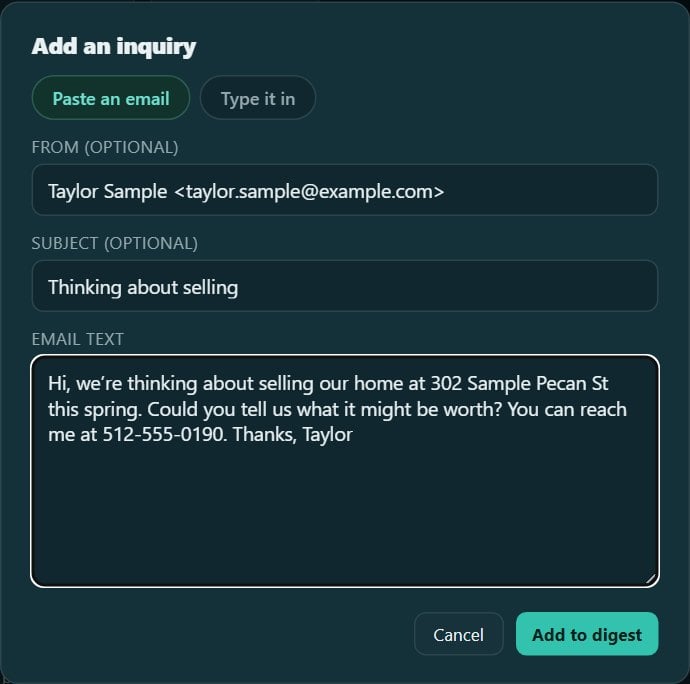
Click Add an inquiry and paste the whole email. Home Signal picks out the name, phone, email, address and what they want. For a phone call or a referral, choose Type it in instead. Either way, the lead joins the digest and its briefing opens.
Call List
Everyone you’re working, and where you left off
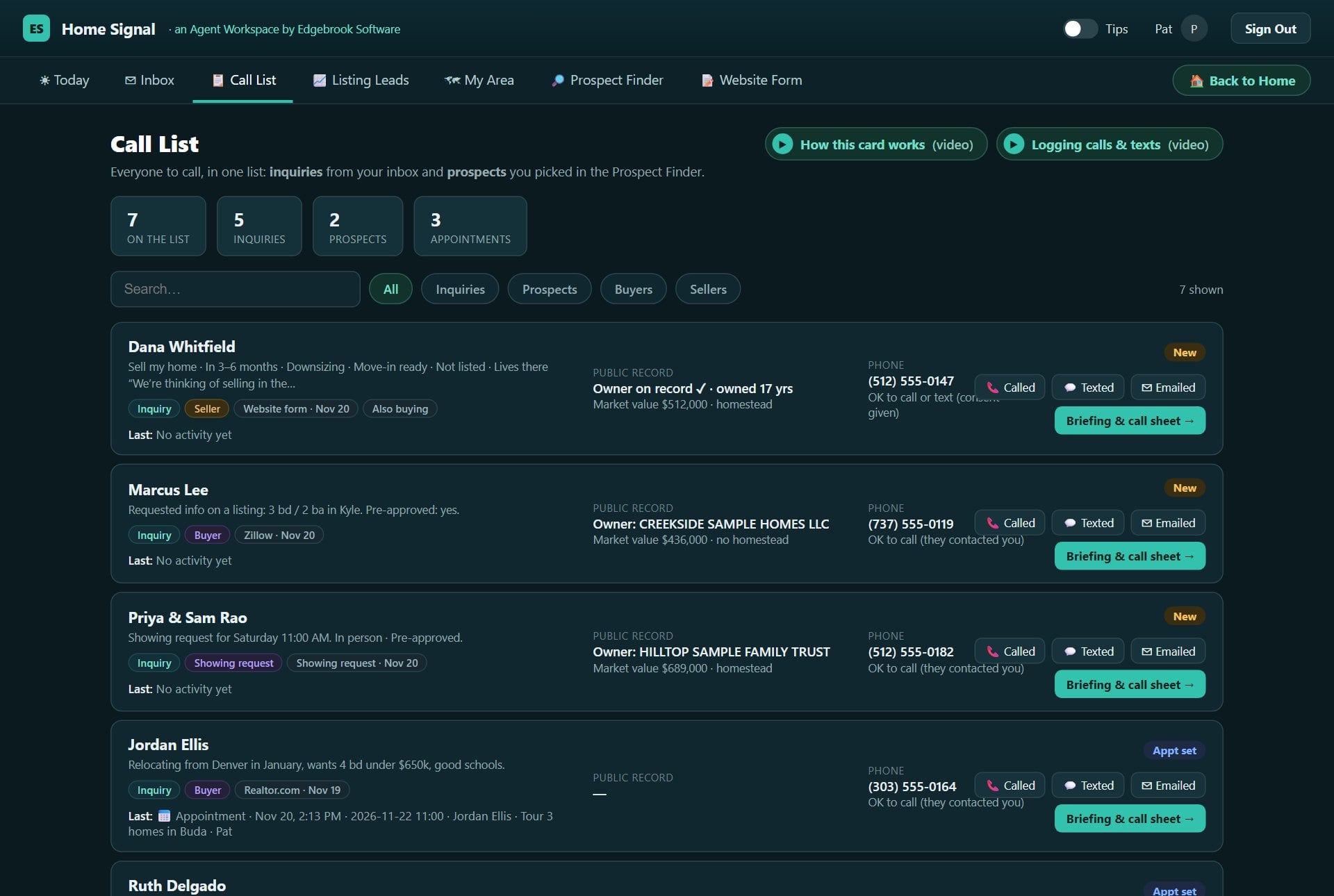
The Call List holds two kinds of people: inquiries, who contacted you, and prospects, homes you picked in the Prospect Finder. Each row shows the county record for the home and, on the right, whether it’s OK to call. Every call, text and email is saved with the date and time, so you always know where you left off.
Inquiries. Who they are, what they asked, where it came from, and the county record for their home.
Prospects. The owner, the home, and why it’s a likely seller: years owned, homestead or not, and where the tax bill goes.
OK to call, at a glance. Someone who contacted you can be called unless they asked for email only. For prospects it’s mail first, and phone only after a Do Not Call check.
Filter and search. Just inquiries, prospects, buyers or sellers, or search by name. Briefing and call sheet opens the full briefing.
Logging calls, texts and follow-ups
One click after every contact
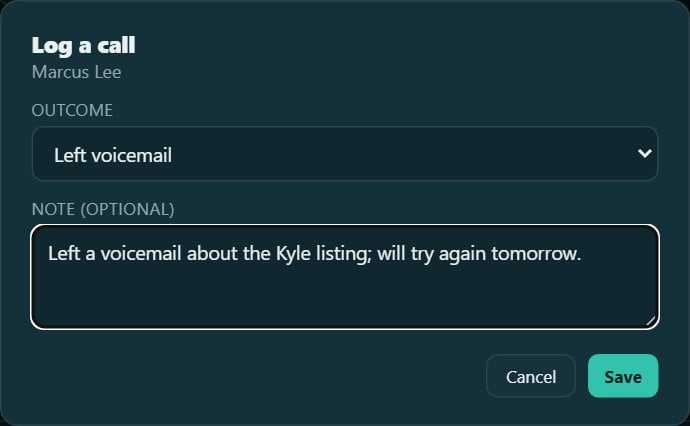
Each person has three buttons: Called, Texted and Emailed. Pick how it went (spoke with them, left a voicemail, no answer, asked to call back), add a note if it helps, and save.
The status moves on by itself: your first try makes it Attempted, and a conversation or a reply makes it Contacted. From a briefing you can also set a callback or book an appointment, and it shows up on Today on the day.
Listing Leads (MLS)
Owners who already tried to sell
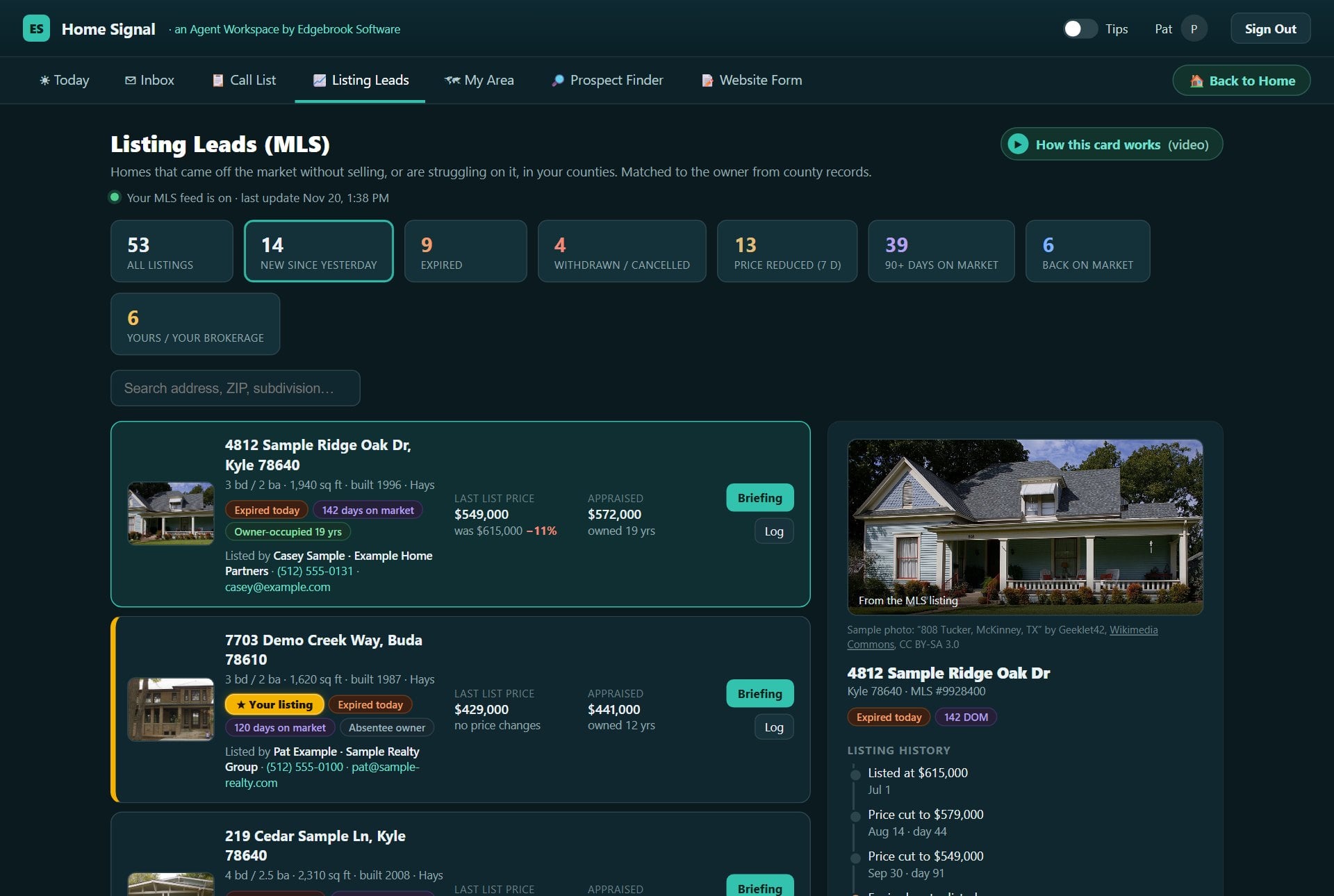
Listing Leads shows homes that came off the market without selling, or are struggling on it: expired, withdrawn and cancelled listings, price cuts, long days on market, and homes back on the market. Each one is matched to the owner from the county records and comes with a suggested call opener. These owners have already shown they want to sell.
Signals across the top. New since yesterday, expired, withdrawn or cancelled, price cuts this week, 90+ days on market, back on market. Click one to see only that kind.
One row per home. What changed, how long it was listed, the last list price against the original, and the county’s appraised value.
Your listings stand out. Your own get a gold badge and your brokerage’s a teal one, so you never prospect your own inventory.
Work only what’s fair game. Briefing and Log for homes that came off the market; homes still listed with another agent are watch-only and leave the list if relisted.
The detail panel
Photo, history, owner and an opener
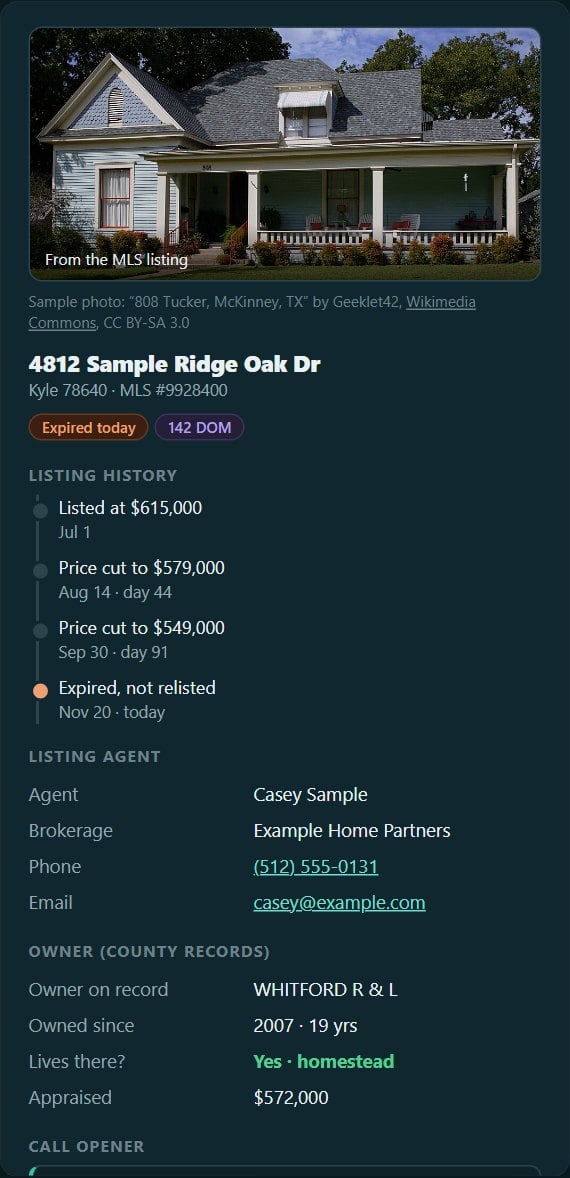
Click a home and the panel shows the listing photo, its price history, the owner from the county records, the listing agent and brokerage, and a suggested way to open the call. Before calling an owner, check the number against Do Not Call.
Turning it on
Your MLS data feed, done properly
Listings belong to the MLS and its members, so the data feed is requested by you, as a member, with Edgebrook named as your technology provider. We never ask for your MLS username or password; sharing it would break MLS rules. We write the request for you; you fill in three blanks and send it from your own email, and we handle the vendor paperwork and the technical setup.
Whatever the MLS decides, you’re covered: the Inbox Digest, Call List, briefings and Prospect Finder all work without it.
Prospect Finder
Find likely sellers before anyone lists them
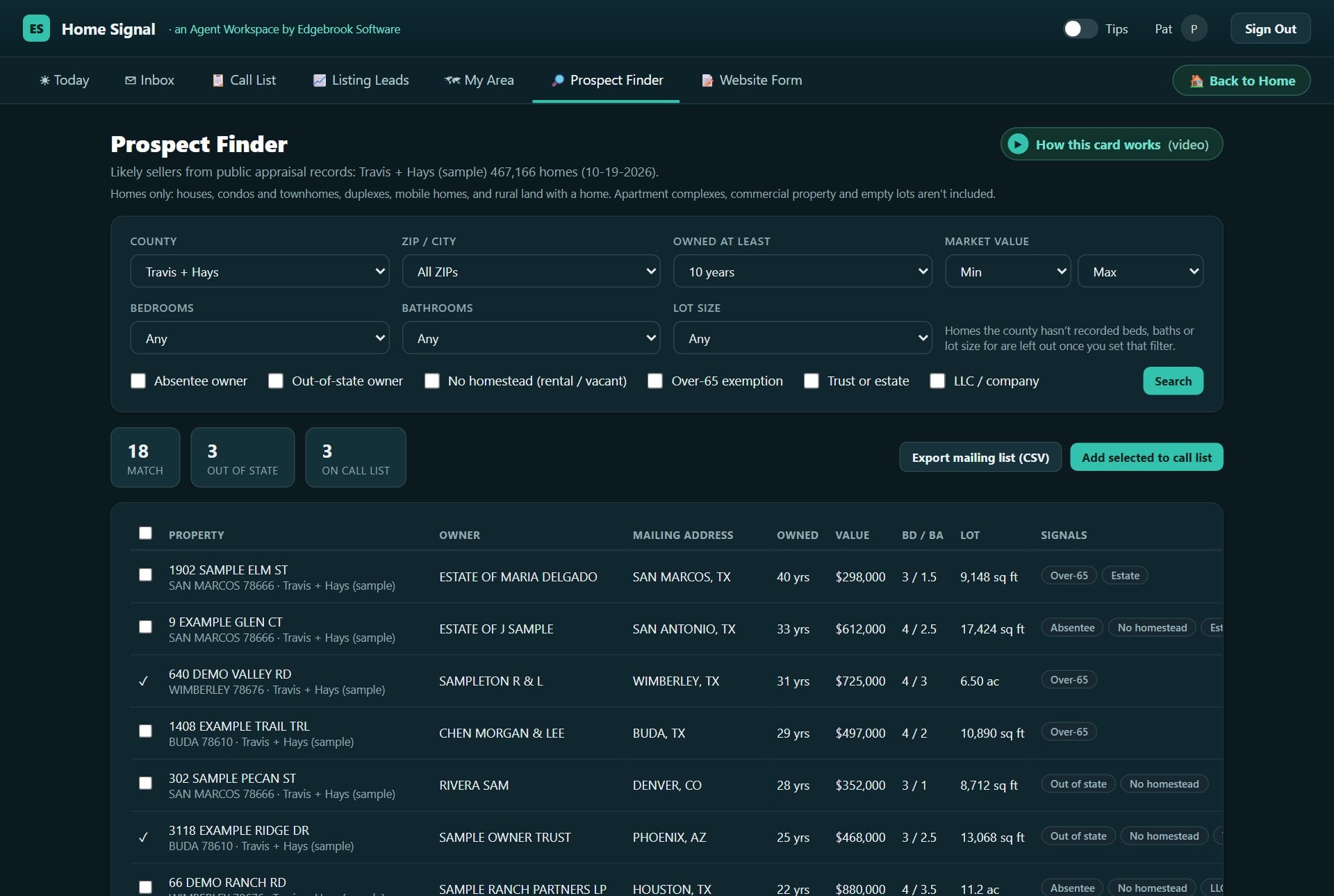
The Prospect Finder searches the public county property records for your counties, hundreds of thousands of homes, for the signs that someone may sell: long-time owners, owners who live somewhere else, rentals, estates and more. Pick the homes you want, then export a mailing list or add them to your Call List. You choose the list yourself instead of buying one that other agents also bought.
Filters and seller signals
Exactly the homes you want
Choose the county and ZIP code, years owned, market value, bedrooms, bathrooms and lot size. Then tick the signals: an absentee owner whose tax bill goes somewhere else, an owner out of state, no homestead (usually a rental or second home), the over-65 exemption, a trust or estate, or a company.
Homes only: houses, condos, townhomes, duplexes, mobile homes and rural land with a home. Apartment complexes, commercial property and empty lots are left out.
An example
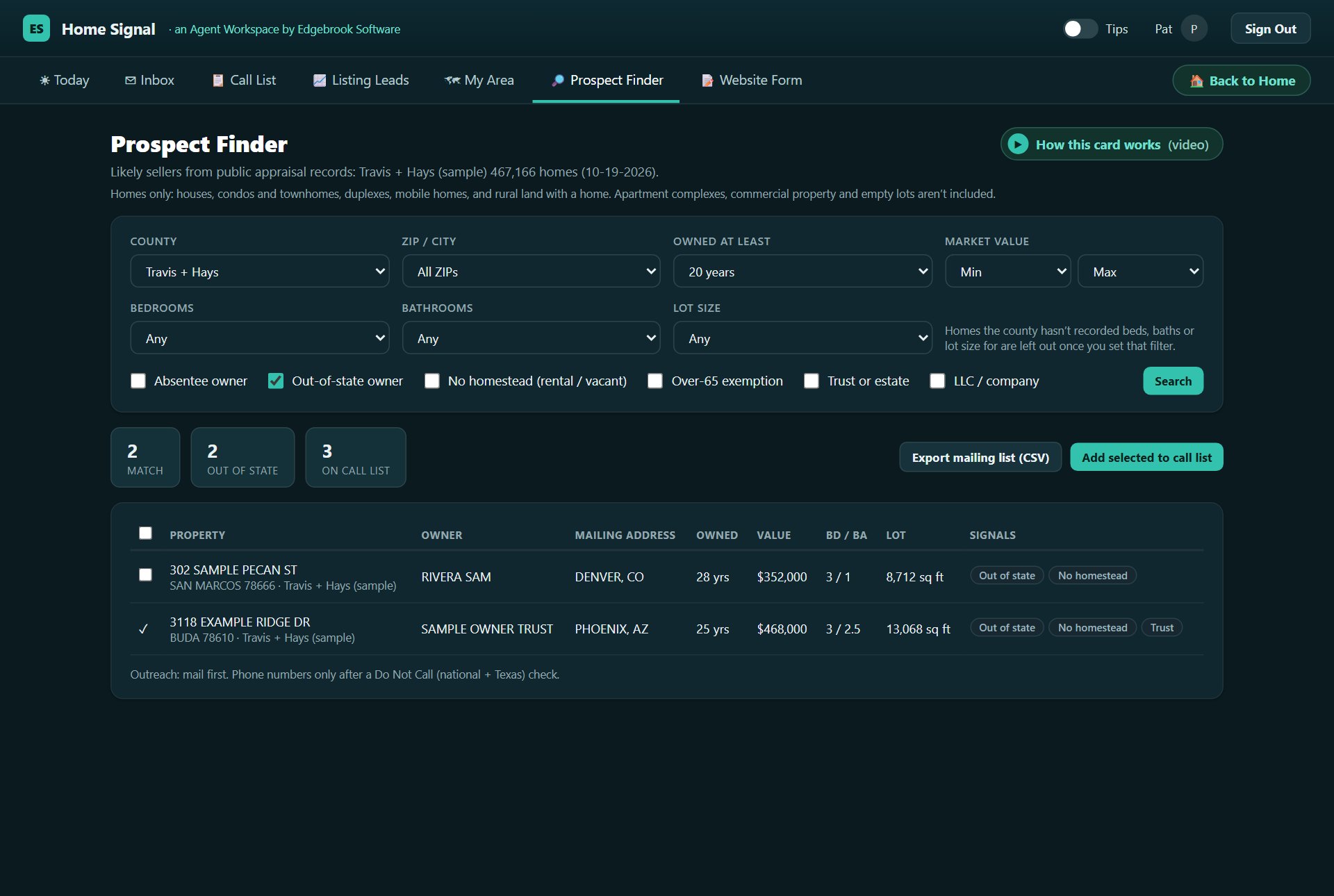
Owned 20+ years, owner out of state
Two ticks give a short, strong list. Results show the longest-owned homes first, with the owner, where the tax bill goes, years owned, value, beds and baths. Click an address for its briefing.
Export mailing list downloads the owners’ mailing addresses for a mail campaign. Add selected to call list moves the best ones to your Call List: mail first, phone only after a Do Not Call check.
Pre-Call Briefing
Two minutes of homework, on one page
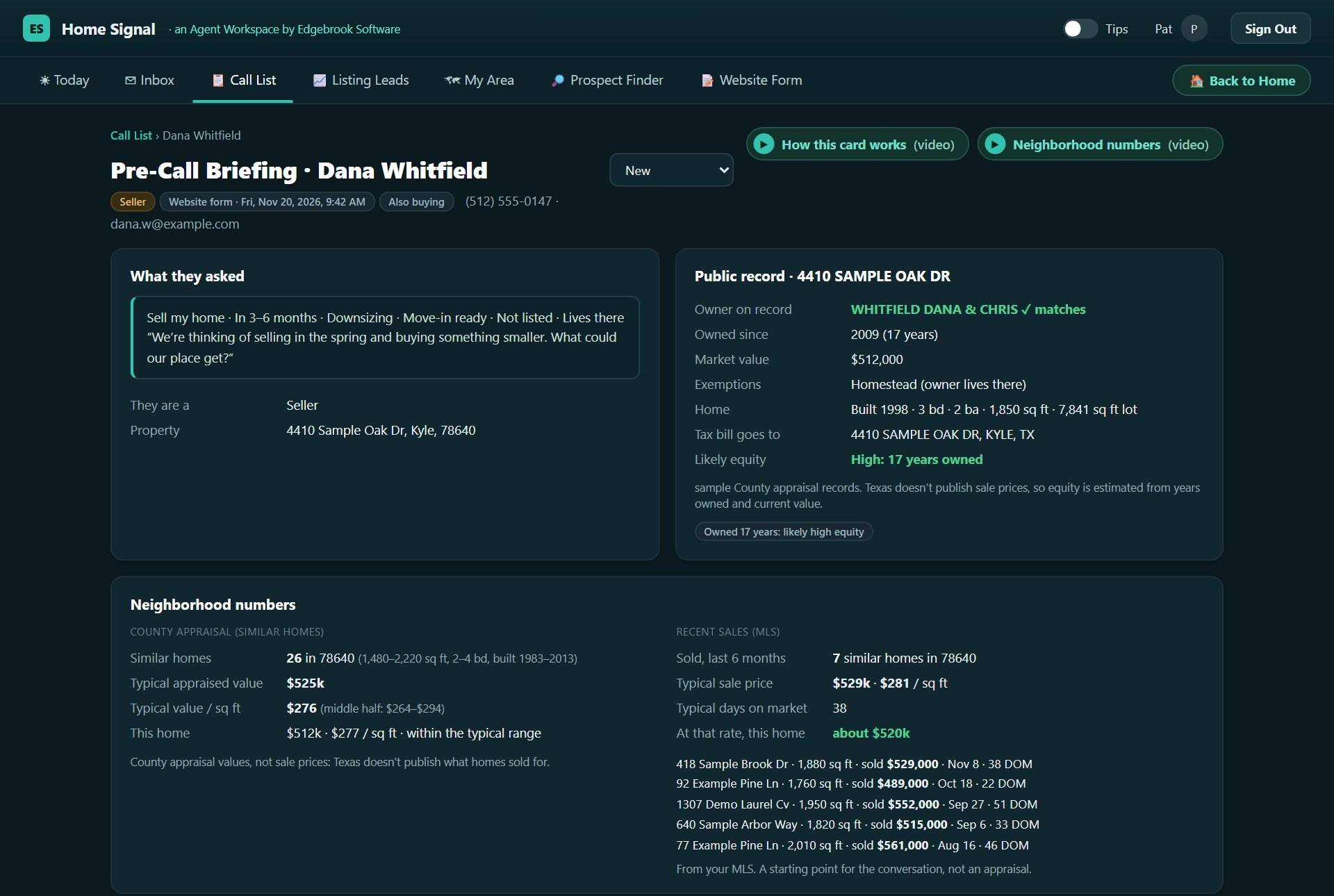
Before every call, the briefing shows what they asked, the county record for their home, how it compares with the neighbors, and a few ways to open the conversation. You call already knowing the owner, the years owned and the value, instead of asking questions the record already answers.
The public record
Who owns it, and for how long
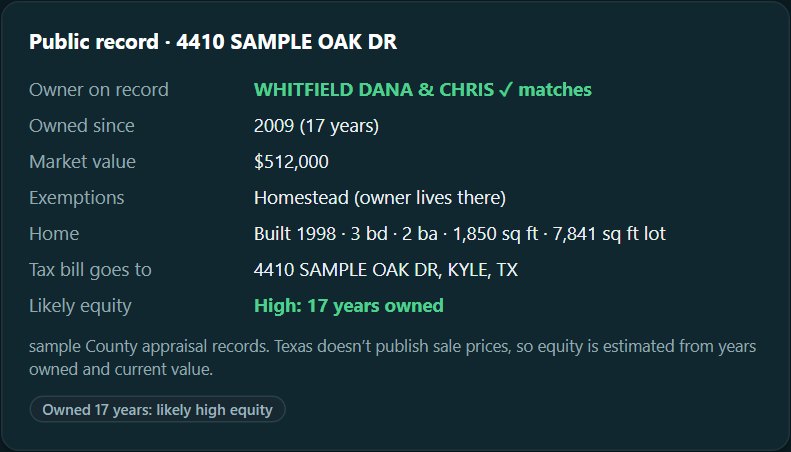
The briefing checks whether the owner on record matches the person who wrote in, then shows the years owned, the market value, the homestead exemption, where the tax bill goes and the home itself. Long ownership flags likely high equity.
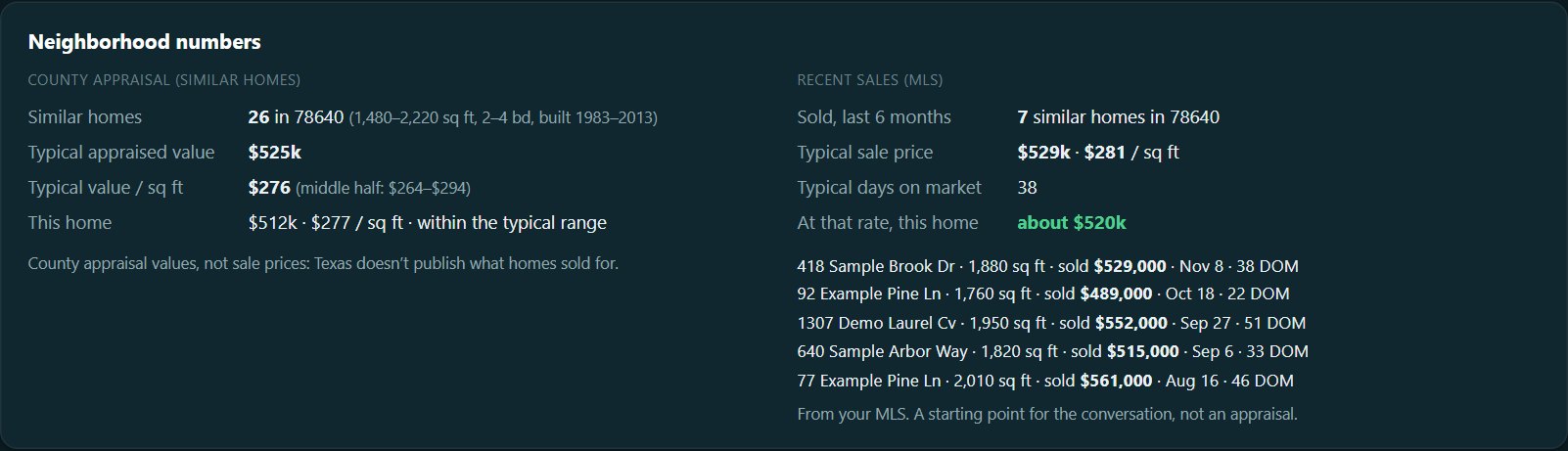
Neighborhood numbers
How this home compares
Similar homes means the same ZIP code, about the same size, a bedroom more or less, and built within fifteen years. On the left are the county’s values for those homes and where this one falls. On the right are real sales from your MLS in the last six months, once your feed is on.
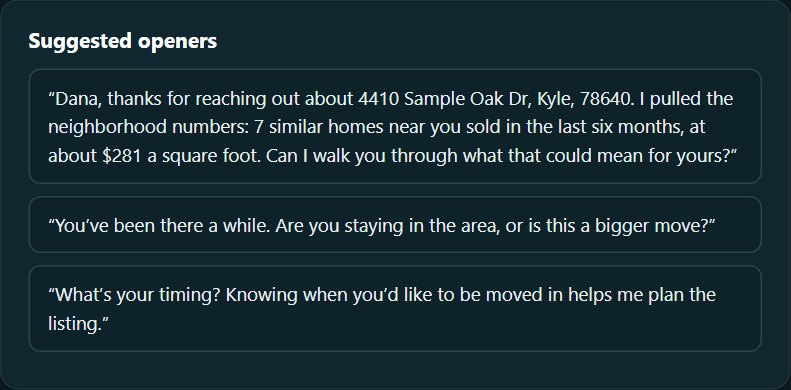
Suggested openers
Know your first sentence
A few ways to start the conversation, written from what they asked, the record and the neighborhood numbers. The first one quotes the numbers, so you can say you pulled them, because you did. When you’re done, log the call, a text, a callback, an appointment or a note right on the briefing.
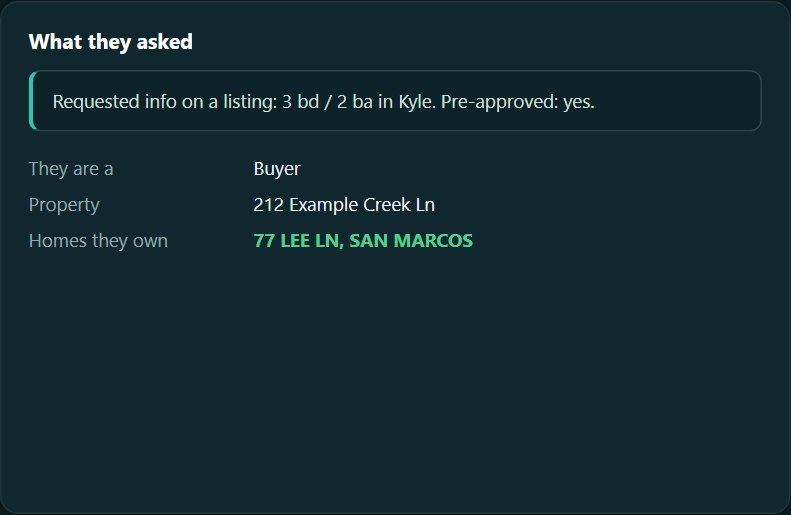
Buyers who already own
Two deals, not one
For a buyer, Home Signal also looks for a home they already own. If it finds one, it shows it and suggests asking whether they need to sell first. For a prospect from the county records, the briefing explains why it’s a likely seller and reminds you: mail first, phone only after a Do Not Call check.
Website Form
Your own contact form, straight into Home Signal
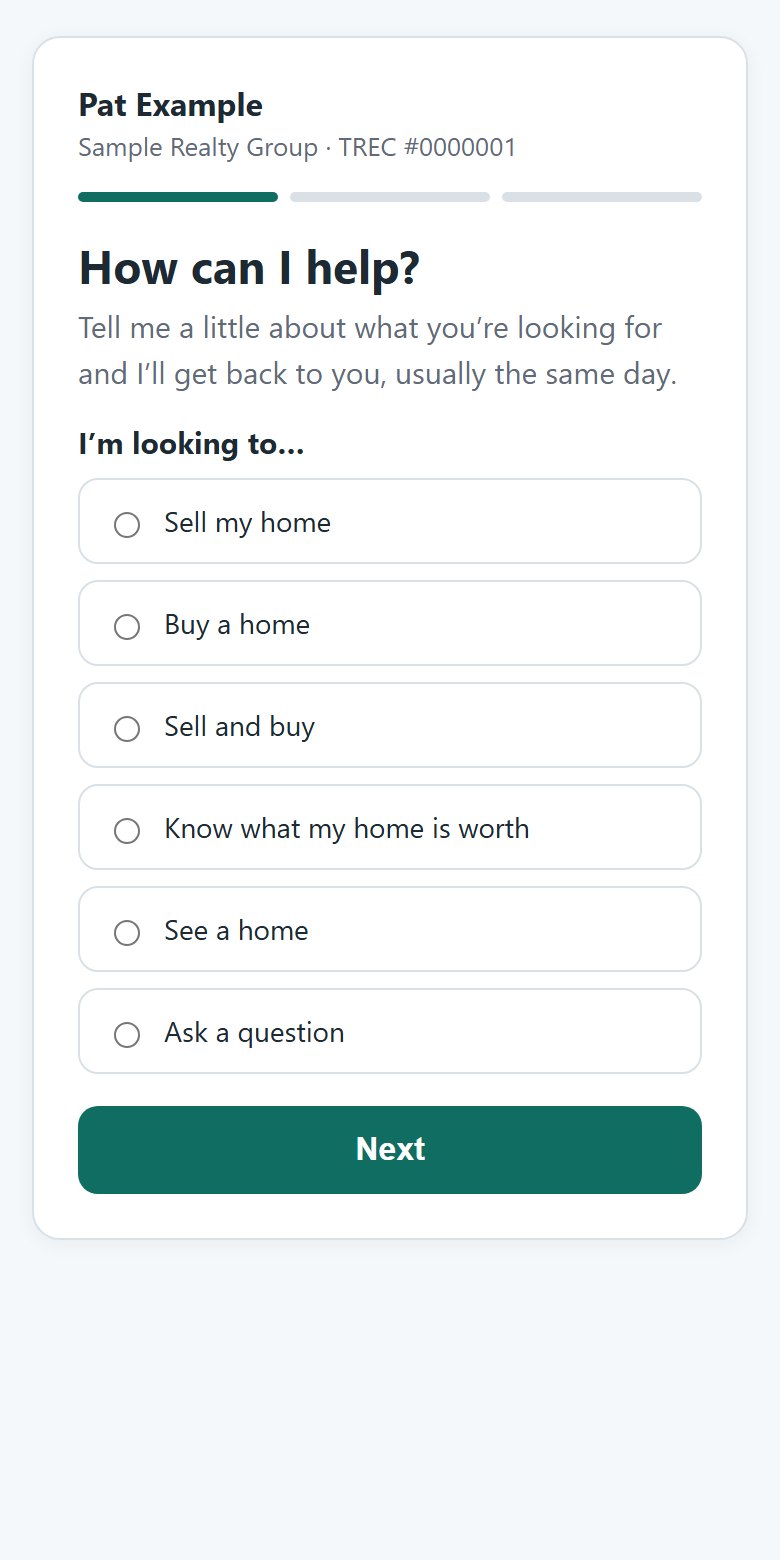
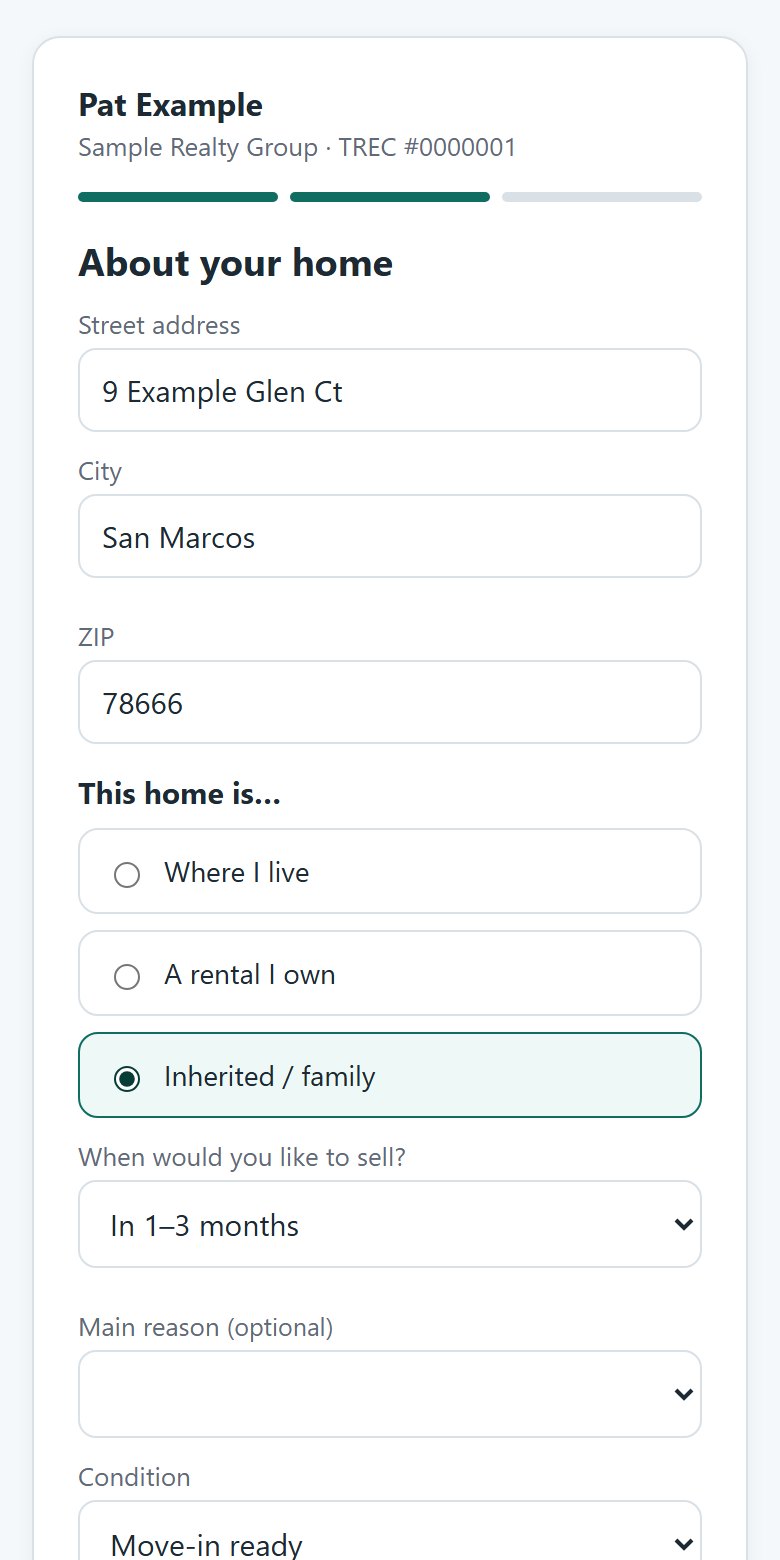
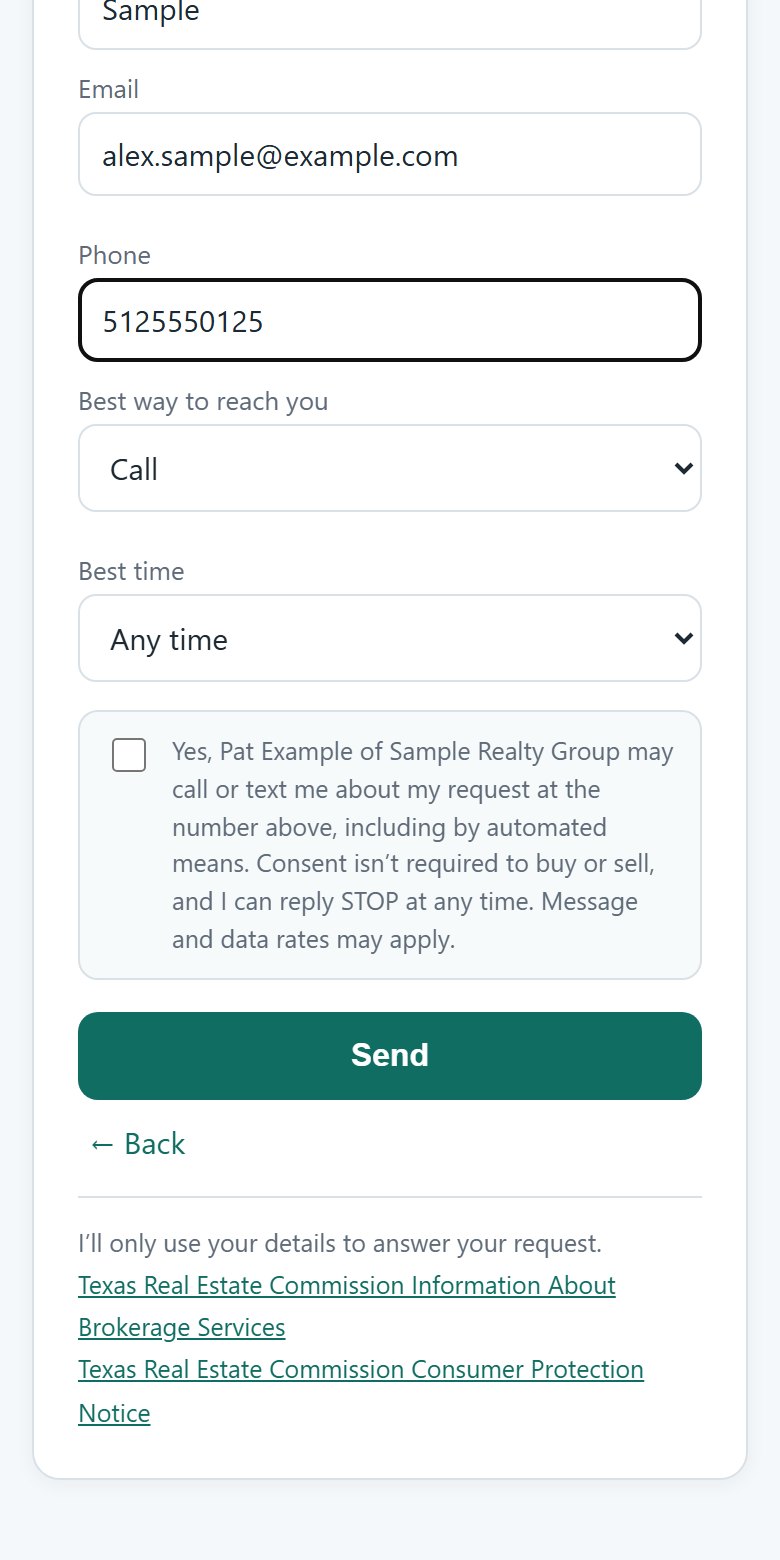
The Website Form is your “What’s my home worth?”, buy and showing form, for your Facebook page and your website. Anyone who fills it in goes straight into your Inbox Digest, with nothing retyped, and you get an email copy. A seller’s address is matched to the county record, so the lead arrives with the home already looked up.
1 · What they wantSell, buy, both, a home value, a showing, or a question.
2 · Only their questionsA seller is asked about the home; a buyer about areas, price and financing.
3 · How to reach themThe call and text consent box is separate and never pre-ticked.
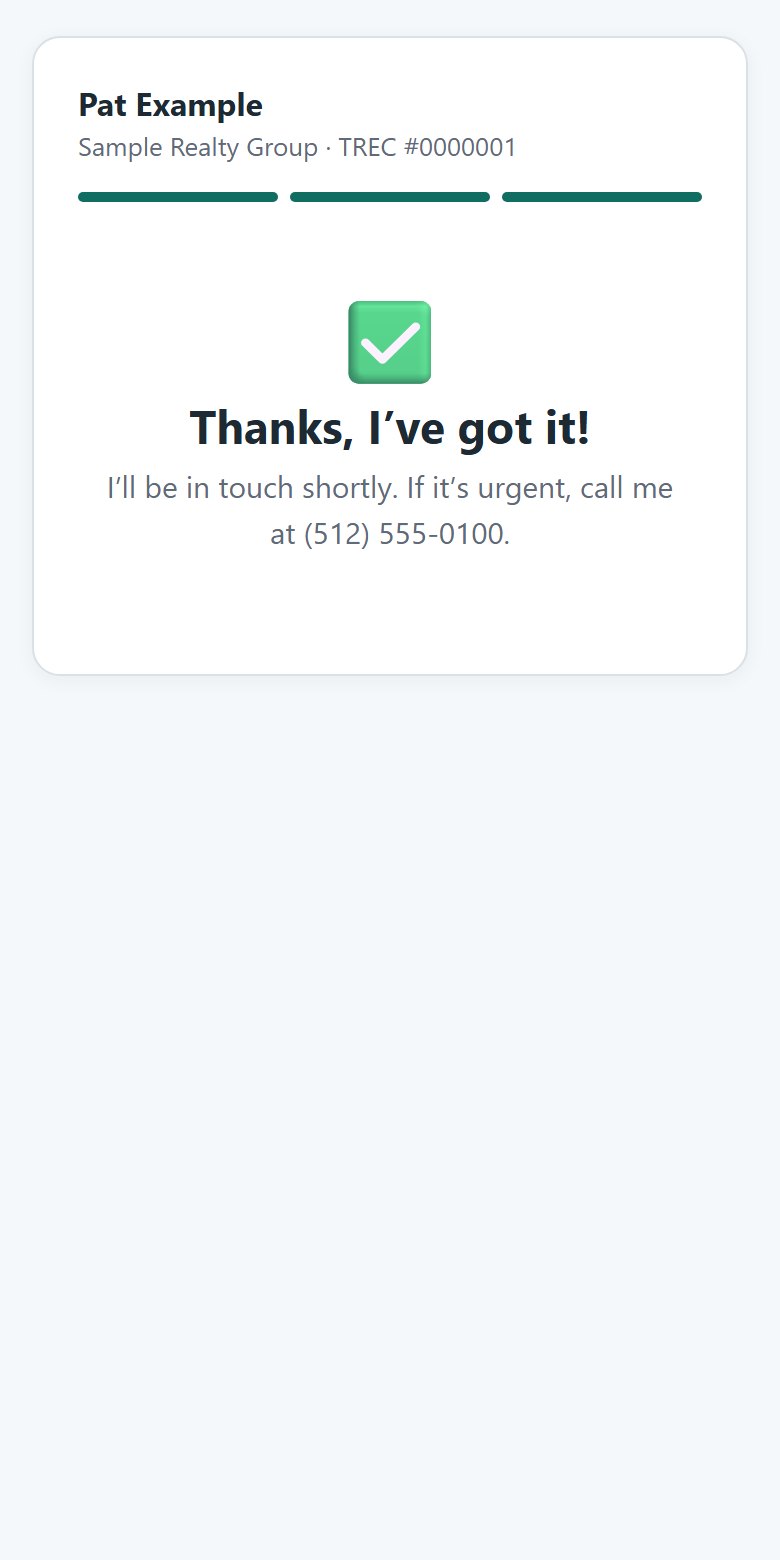
SentThey get a thank-you with your number; you get the lead.
Settings
Set it up once, share it everywhere
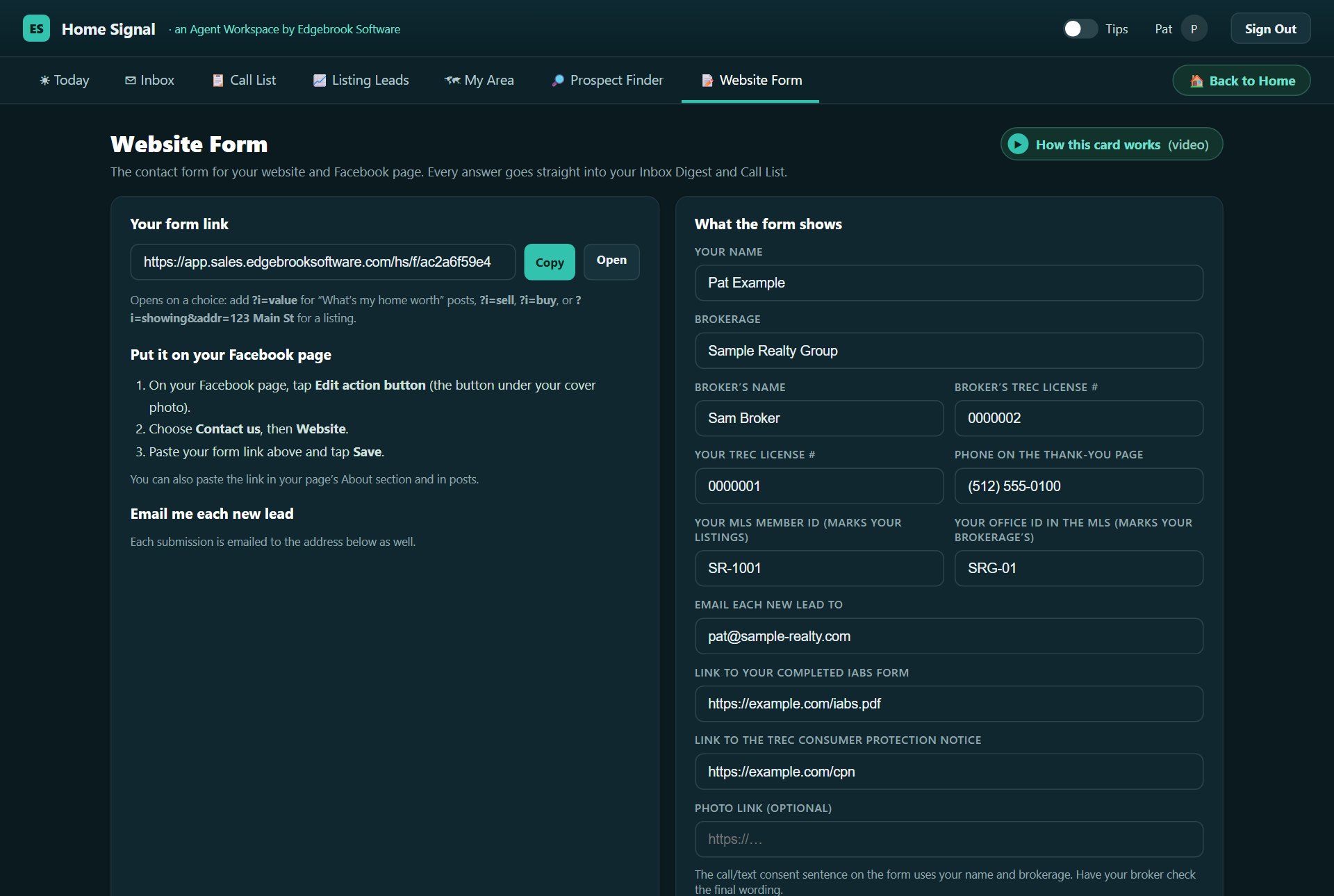
Copy your form link and add it to your Facebook page’s action button, your About section, your posts and your website. Fill in what the form shows: your name, brokerage, license numbers, phone and the email that gets a copy of each lead, plus the notices your state requires.
Add your MLS member and office IDs here too, so Listing Leads marks your own and your brokerage’s listings.
Consent done right. People who leave the call-and-text box unticked are marked email only, and Home Signal reminds you on every screen where you might call them.
My Area
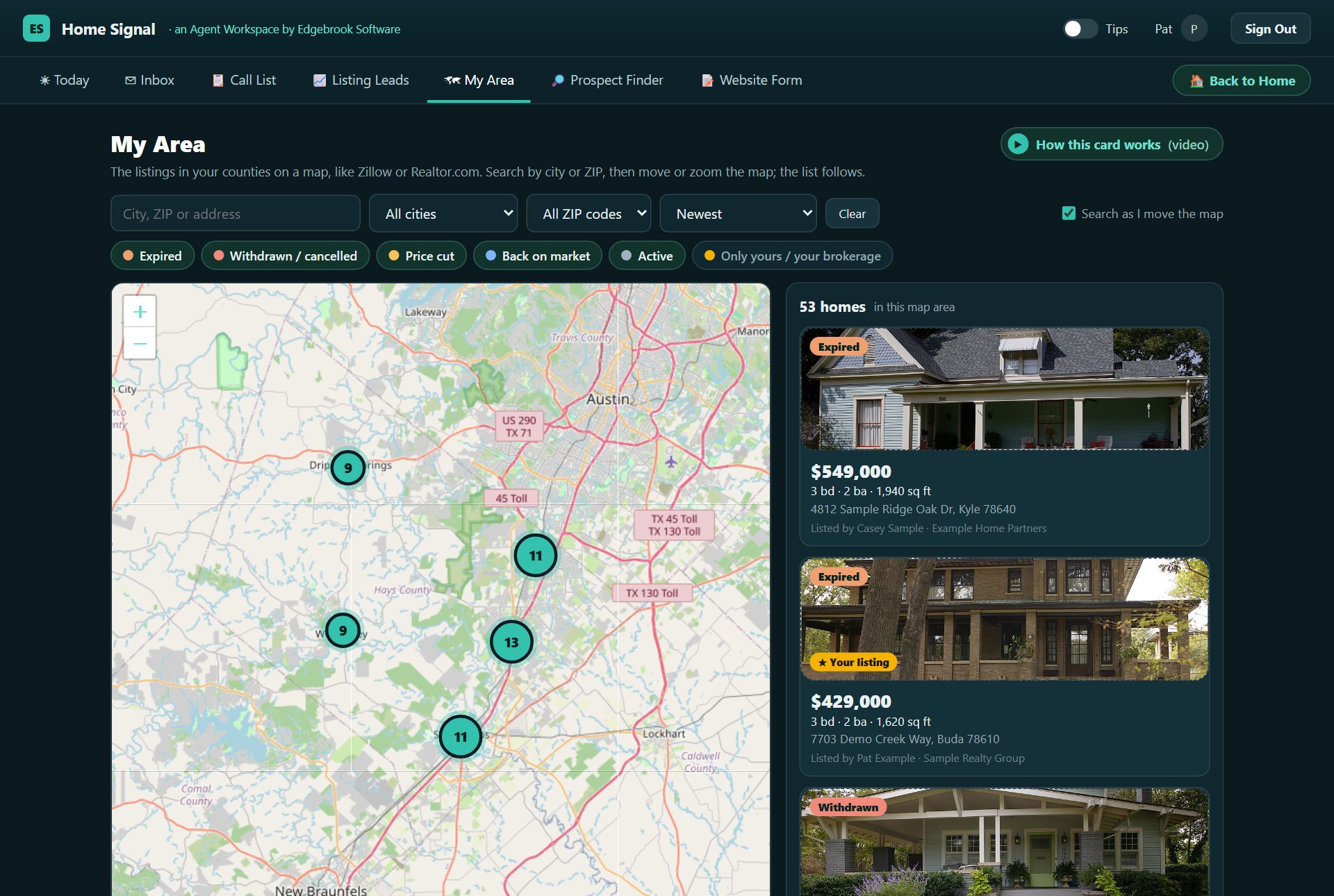
Your market on a map
My Area puts the listings in your counties on a map, the way Zillow or Realtor.com does, colored by signal: expired, withdrawn, price cut, back on market, active. Search by city or ZIP, move or zoom the map, and the list follows. Click a home for its photo, price, what changed, who listed it, and its briefing.
Price tags in signal colors. Zoomed out, homes group into a number; click it to zoom in.
Search as you move. With the box ticked, the list shows only the homes in view.
Find it fast. Point at a home in the list and its tag on the map lights up.
Only what you want. Turn a color off, show only your own and your brokerage’s, or sort by newest, price or days on market.
Getting started
Up and running the day you sign in
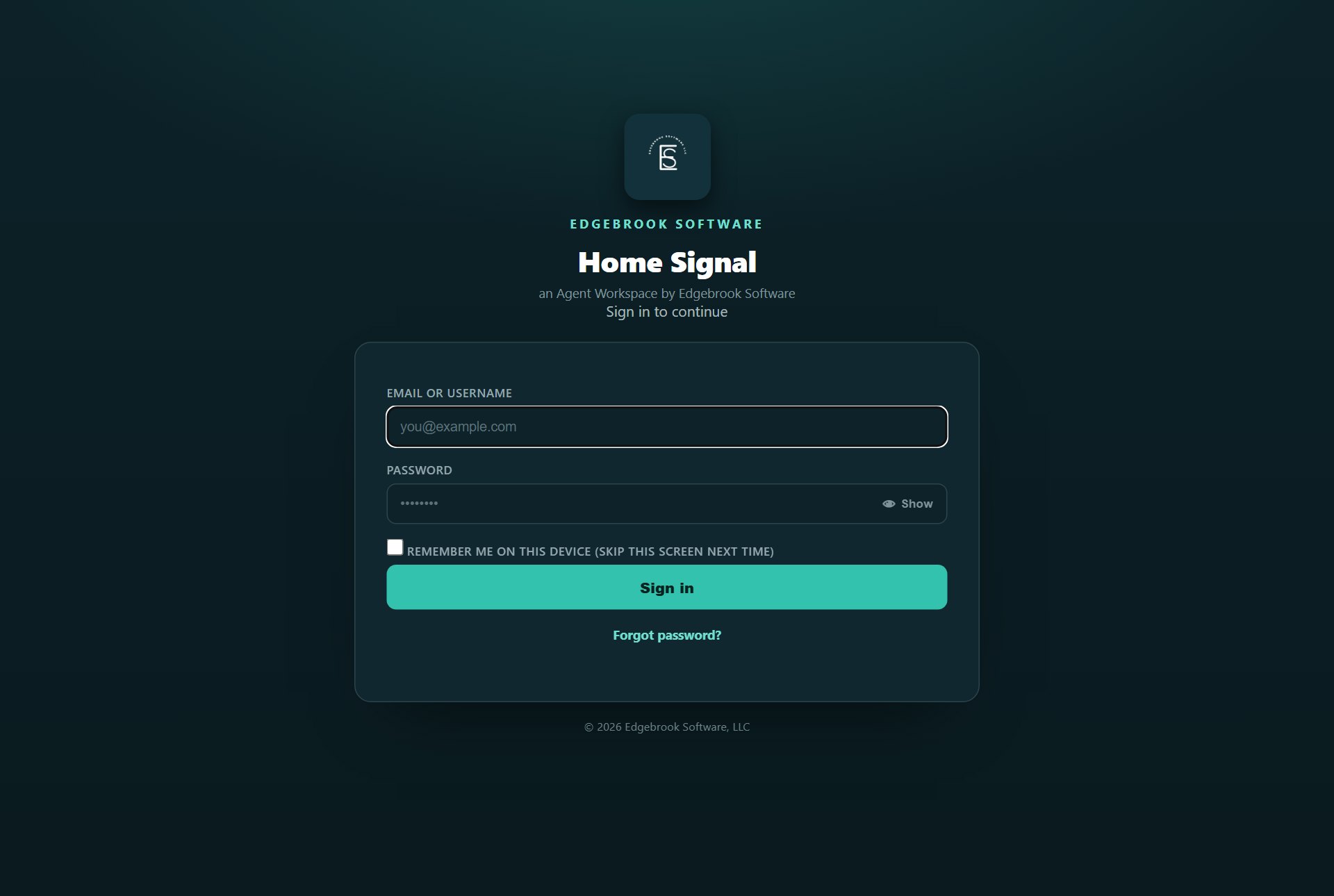
We load the county records for your counties and set up your account and your website form. You get two emails, one with your link and username and one with a temporary password. Sign in, choose your own password and a security question, and you land on Home. Every screen has its own short How this card works video at the top right.
Your first sign-in
Three steps, about a minute
Sign in with your email and the temporary password, choose your own password, and pick a security question. If you ever forget your password, you set a new one yourself with that question.
See Home Signal on your own counties
Tell us where you work and how your leads come in. We’ll show you Home Signal with your counties loaded, on a short, no-pressure call.